
Odoo Multi Level List view

Odoo Multi Level List View
What Is Odoo Multi Level List View?
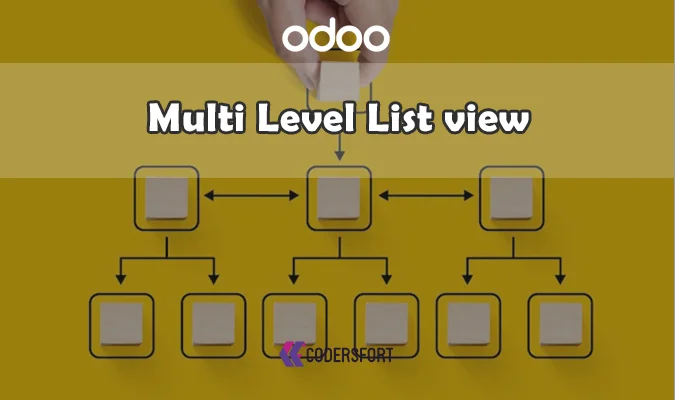
Standard Odoo list views show records in a flat table, which makes it hard to understand hierarchies like parent tasks, sub-tasks, project phases, and nested records. Odoo Multi Level List View converts that flat list into a dynamic hierarchical tree/list view using the model’s existing parent_id and child relations, so users can expand and collapse levels directly inside the list view.
Why Hierarchical List Views Matter
When complex structures are managed in spreadsheets or static tables, users lose visibility into how records relate to each other. Hierarchical list views give managers and users a clear overview of relationships and dependencies, reducing confusion and improving control over projects and processes.
Why Your Business Needs Odoo Multi Level List view
Limitations of Flat Odoo List Views
Flat list views display all records at the same depth even if the model has parent-child relationships, which makes project structures and nested data hard to scan. Users must open multiple forms or switch to separate tree views to understand hierarchy, increasing clicks and context switching.
How Odoo Multi Level List View Solves This
Odoo Multi Level List View reads your existing hierarchy fields and turns the standard list view into a structured multi level tree, without changing the database or core workflows. Teams gain instant visibility into top-level records and their children, all from the list view they already use.
Key Features of Odoo Multi Level List view
Dynamic Hierarchical Tree/List View
The module introduces a tree-style list view that builds multiple levels of hierarchy from your parent_id and child relations. Users can expand and collapse levels inline, turning complex structures into a readable tree without altering the underlying models.
Multi Level Nesting Support
Odoo Multi Level List View supports multiple hierarchy levels such as project → phase → task → sub-task or any custom nested structure. Each level is rendered in the list view so users can drill down as deeply as needed.
Intuitive Expand / Collapse Controls
Records with children show expand/collapse icons that users can click to reveal or hide lower levels. This keeps the view compact while still providing fast access to detailed information when required.
Uses Existing Odoo Models and Fields
The module relies on the model’s existing hierarchy fields instead of creating new tables or duplicating data. This keeps it compatible with standard Odoo models and your custom modules that already use parent-child relationships.
Native Odoo UX and List View Behavior
All existing list view features—filters, sorting, grouping, and search—continue to work on top of the multi level view. The hierarchy overlay is designed to feel native to Odoo, reducing training time for users.
Flexible Across Multiple Modules
You can apply Multi Level List View to projects, tasks, categories, organizational structures, and other hierarchical data models. This makes it a reusable enhancement across multiple business areas, not just one module.
Benefits of Odoo Multi Level List view
Clear Hierarchy Visibility
Teams see parent records and all their children in a structured tree, improving understanding of relationships and dependencies. This visibility is critical for project hierarchies, nested tasks, and multi-level organizational structures.
Faster Navigation and Less Context Switching
Users can move from high-level overview to granular detail in a single view using expand/collapse actions. This reduces the need to open multiple forms or switch between different views, improving productivity.
Better Planning and Control
With all levels visible, managers can quickly spot missing records, overloaded branches, or misaligned structures. This leads to better planning and more precise control over complex workflows.
Minimal Training for End Users
Because the module extends the existing list view behavior, users who know Odoo’s list views can adopt the multi level view easily. The tree-like expand/collapse pattern is familiar from other business tools and file explorers.
Works With Existing Customizations
Your current list view columns, filters, and actions remain in place; the module simply adds hierarchy visualization. This makes it safe to deploy in environments with heavy customizations and specialized views.
Enhanced UX for Data-Heavy Modules
Modules with many records—projects, tasks, categories, organizational units—become easier to scan and manage when structured as multi level lists. Users can collapse sections they don’t need and focus on the most relevant branches.
How Odoo Multi Level List View Works
Install the Module
Install the Odoo Multi Level List View module in your Odoo instance via the CodersFort Odoo Apps Store or your addons directory. Upgrade the database so the new list view type and configurations become available.
Configure Parent–Child Fields
Make sure the target models, such as projects, tasks, or categories, use a consistent parent field, for example parent_id, and child relations. The hierarchy is derived directly from these fields.
Enable Multi Level List View on the Model
Configure the list view XML for the chosen model to use the multi level list view definition provided by the module. This attaches the hierarchical renderer to that list view while keeping your existing columns and actions.
Explore Hierarchies With Expand/Collapse
Open the configured list view and use the expand/collapse icons to navigate parent, child, and sub-child records. Users can move between summary and detail views without leaving the page.
Continue Using Standard Odoo Actions
Users can still open forms, apply filters, group data, and export records from the multi level view. All of this works seamlessly with the hierarchical rendering.
Frequently Asked Questions
What does Odoo Multi Level List View actually do?
It transforms standard flat Odoo list views into hierarchical multi level tree/list views using existing parent-child relations, letting users expand and collapse nested records directly in the list view.
Do I need to change my data model?
No. The module uses the parent-child fields you already have, such as parent_id, so hierarchies appear without redesigning the database or duplicating models.
Which types of data benefit most?
Any hierarchical data—projects and sub-projects, tasks and sub-tasks, categories and subcategories, organizational units—becomes easier to manage with multi level list views.
Can I still use filters, sorting, and groups?
Yes. All standard Odoo list view capabilities like filtering, sorting, grouping, and searching work as usual on top of the multi level view.
Is it compatible with custom modules?
The module works with both standard and custom models, as long as they use consistent parent-child relations. You integrate it via typical XML view configuration in your custom apps.
Does this replace existing tree views?
No. It complements them by bringing hierarchical visualization into the list view, giving users more flexibility in how they explore data.
Is it suitable for non-technical users?
Yes. Non-technical users can navigate hierarchies using simple expand/collapse controls without needing developer knowledge.
How does it improve productivity?
By reducing context switching and the need to open multiple forms, users can access all hierarchy levels from a single list view, saving time and clicks.
Related CodersFort Modules
Odoo Projects Hierarchy
Odoo Projects Hierarchy visually represents project parent IDs and relationships, making multi-project structures easier to navigate. Combined with Multi Level List View, you get both list-based and dedicated hierarchy views for project management.
Odoo Multiple Files Upload Widget
Odoo Multiple Files Upload Widget adds powerful multi-file upload with drag-and-drop and advanced media handling to forms and views. Used alongside Multi Level List View, it enhances how users manage documents attached to hierarchical records.
Buy from our app store or contact us directly