
Odoo Merge Delivery Orders

Odoo Merge Delivery Orders
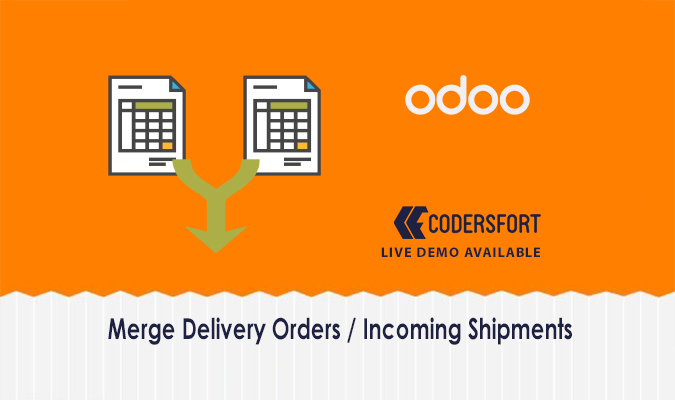
Combine Multiple Delivery Orders and Incoming Shipments With One Click
Processing ten separate delivery orders for the same supplier — each with their own validation step — is one of the more tedious parts of warehouse management. Odoo Merge Delivery Orders eliminates that by letting users select multiple pickings from the tree view and merge them into a single delivery order or incoming shipment in just one click, while still preserving the original order lines so nothing gets lost in the consolidation.
Why Does Your Warehouse Need to Merge Delivery Orders in Odoo?
When multiple purchase orders arrive from the same supplier or multiple sale orders ship to the same customer, handling them as separate pickings multiplies the validation, tracking, and paperwork involved. The Odoo Merge Delivery Orders module removes that duplication. By consolidating delivery orders and incoming shipments through Odoo delivery order consolidation, warehouse teams process fewer documents without losing visibility into which original order each line came from — and partial deliveries or receipts are still fully supported.
Key Features of Odoo Merge Delivery Orders
One-Click Delivery Order Merge
Select multiple pickings from the tree view and merge them into one consolidated delivery order using the Odoo merge orders one click feature — no complex steps required.
Merge Incoming Shipments and Receipts
The module handles both outgoing deliveries and incoming receipts, making Odoo merge incoming shipments and merge receipts Odoo workflows available in the same place.
Preserves Distinct Order Lines
After merging, each original order's lines remain visible as separate entries on the consolidated picking — the Odoo picking merge tool never hides where a line originated.
Partial Delivery and Receipt Support
The Odoo combine picking orders feature fully supports partial deliveries and partial receipts, so merging doesn't force a complete shipment when only part of the order is ready.
Works From Tree View Selection
Users select the pickings to merge directly from the inventory tree view, keeping the Odoo delivery merge feature accessible without navigating into individual orders.
Customer and Supplier-Based Consolidation
Deliveries for the same customer and receipts from the same supplier can be combined, making the Odoo consolidate delivery orders workflow logical and straightforward.
Benefits of Odoo Merge Delivery Orders
Fewer Documents to Validate
Odoo delivery order consolidation reduces the number of individual pickings that need to be processed, validated, and tracked through the warehouse.
Saves Time for Warehouse Teams
The Odoo merge picking module turns multiple separate validation steps into one, cutting handling time significantly for high-volume operations.
No Loss of Order Traceability
Because distinct lines are preserved after merging, the Odoo stock picking consolidation never compromises the ability to trace which original order a line belongs to.
Supports Flexible Fulfilment
Partial delivery and receipt support means the Odoo combine stock pickings feature works for real-world situations where not everything arrives or ships at once.
Cleaner Inventory Records
Fewer active pickings in the system means tidier inventory records and less noise in the Odoo delivery order management view.
How Odoo Merge Delivery Orders Works
Step 1: Install the Module
Add Odoo Merge Delivery Orders to your Odoo instance.
Step 2: Open the Inventory Tree View
Navigate to the delivery orders or incoming shipments list in Odoo Inventory.
Step 3: Select the Pickings to Merge
Choose the multiple delivery orders or receipts you want to consolidate using the Odoo merge multiple deliveries selection.
Step 4: Trigger the Merge
Use the merge action — the Odoo warehouse picking merge completes in one click, combining the selected pickings into a single consolidated document.
Step 5: Review the Merged Picking
The resulting picking shows all original order lines clearly, with full support for partial delivery or receipt if needed.
Frequently Asked Questions
What does Odoo Merge Delivery Orders actually do?
It lets users select multiple delivery orders or incoming shipments from the tree view and merge them into a single consolidated picking with one click, while preserving distinct order lines.
Does merging remove the original order line details?
No, the Odoo stock picking consolidation keeps each original order line visible on the merged picking so traceability is fully maintained.
Can I merge both deliveries and incoming receipts?
Yes, the module supports merging Odoo incoming shipments as well as outgoing delivery orders.
What happens if only part of the order is ready to ship or receive?
Partial deliveries and partial receipts are fully supported — the Odoo combine picking orders feature doesn't require the full quantity to be available.
How do I trigger the merge?
Simply select the relevant pickings from the tree view and use the Odoo merge orders one click action — no individual record navigation is needed.
Can I merge orders for different customers or suppliers together?
The module is designed for consolidating deliveries for the same customer or receipts from the same supplier, keeping the Odoo delivery order consolidation logically consistent.
Does it affect stock moves or valuations?
Merging pickings through the Odoo inventory delivery consolidation feature consolidates the document layer — stock moves and valuations continue to reflect accurate quantities.
Is any configuration needed after installation?
No, the Odoo merge picking module is ready to use from the inventory tree view immediately after installation.
Modules Similar to Odoo Merge Delivery Orders
Odoo Merge Delivery Orders fits naturally alongside other CodersFort modules focused on inventory, warehouse management, and procurement workflows. For controlling which warehouse locations each inventory user can access when processing merged pickings, Odoo Warehouse User Restrictions limits stock moves to authorized areas.
For tracking inventory value across the warehouses where consolidated deliveries land, Odoo Inventory Valuation Report generates stock valuation reports per warehouse or location. For the purchasing side that generates the incoming shipments being merged, Odoo Split RFQ lets purchasing teams split or extract RFQ lines into separate quotations before they arrive.
For material requests that feed into the delivery workflow, Odoo Material Internal Requisition manages approval-based stock transfers between locations. Together, these modules build a more efficient, controlled, and organized warehouse and procurement operation inside Odoo.
Buy from our app store or contact us directly