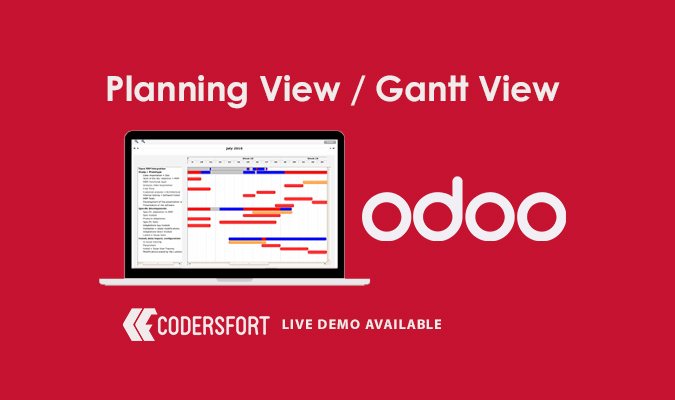
Odoo Planning View / Gantt View

ODOO Planning View Gantt View

Odoo Planning View

See Everything Planned and Everything Still Pending — On One Timeline

Juggling deadlines across a list view means constantly cross-referencing dates in your head to figure out what's actually scheduled and what's still up in the air. Odoo Planning View — Odoo's Gantt-style timeline — puts every task on a single visual timeline using Start Date and End Date, so what's already planned and what remains to be planned is obvious at a glance, not something you have to reconstruct from a spreadsheet of dates.

Why Does Your Business Need a Dedicated Odoo Gantt View Module?

Managing multiple tasks, projects, or resources through list or kanban views alone makes it hard to see how work overlaps in time — two tasks assigned to the same person on the same day, a deadline that's about to collide with another. The best Odoo module for planning is one that turns Start Date and End Date fields already in your data into a visual timeline, rather than requiring a separate scheduling tool disconnected from the records themselves. Odoo Planning View does exactly that, giving teams a Gantt-style view built directly on existing task and record data.

Key Features of Odoo Planning View

Clear Overview of Planned and Unplanned Work

The Gantt-style layout separates what's already scheduled from what still needs a place on the timeline, using each record's Start Date and End Date to build the visual.

Multi-Task Management

Manage multiple tasks at once from a single view, rather than switching between individual records to understand how they relate in time.

Progress and Deadline Tracking

Track task progress and monitor deadlines directly on the timeline, making it easier to spot work that's falling behind before it becomes a missed deadline.

Resource and Workload Visibility

See how tasks are distributed across time and resources, supporting the kind of workload visualization that a flat list view can't provide.

Overall Productivity View

By consolidating scheduling information into one visual timeline, the Odoo Planning View feature supports better day-to-day productivity tracking across a team or project.

Benefits of Odoo Planning View

Improved Efficiency

Optimize resource utilization and reduce idle time by seeing exactly where scheduling gaps or overlaps exist.

Enhanced Planning

Create effective schedules based on actual workload and availability instead of guessing from a list of dates.

Better Communication

Improve collaboration between team members and managers by giving everyone the same visual reference for what's planned.

Increased Flexibility

Easily adjust schedules to accommodate changes, since the timeline view makes it clear what shifting one task means for everything around it.

Data-Driven Decisions

Make informed scheduling decisions based on resource performance and workload patterns visible directly in the timeline.

How Odoo Planning View Works

Step 1: Set Start Date and End Date on Records

Ensure the relevant tasks or records have Start Date and End Date fields populated — this is the data the Gantt view is built from.

Step 2: Open the Planning View

Switch to the Planning/Gantt view for the relevant module to see all tasks laid out on a single timeline.

Step 3: Review What's Planned and What Isn't

Identify at a glance which tasks already have a scheduled slot and which still need to be placed — this is how to use the Gantt view in Odoo to catch scheduling gaps early.

Step 4: Adjust Schedules as Needed

Move or resize tasks on the timeline to reflect changes in availability, priority, or deadlines.

Step 5: Track Progress Over Time

Monitor task progress and deadlines directly within the same visual timeline as work continues.

Frequently Asked Questions

What does Odoo Planning View actually do?

It provides a Gantt-style timeline view that shows what's already planned and what remains to be scheduled, based on each record's Start Date and End Date.

Is this the same as Odoo's standard list or kanban view?

No — unlike a list or kanban view, the Planning/Gantt view lays tasks out on a visual timeline, making it easier to see overlaps, gaps, and deadlines across multiple tasks at once.

What data does the module rely on to build the timeline?

It uses Start Date and End Date fields already present on the relevant records to construct the visual schedule.

Can I track task progress within this view?

Yes — task progress and deadlines can be tracked directly within the same timeline view.

Does this help with resource planning, not just task scheduling?

Yes — the view supports visualizing workload and resource utilization alongside task timing, helping identify idle time or overlapping commitments.

Can I adjust schedules directly from this view?

Yes — schedules can be adjusted within the timeline to accommodate changes in availability or priority.

Which types of work is this useful for?

Any work tracked with start and end dates benefits from this view — project tasks, manufacturing schedules, HR planning, and general team scheduling are common use cases.

Modules Similar to Odoo Planning View

Odoo Planning View pairs naturally with other CodersFort Gantt and scheduling modules.

For visualizing employee time-off requests on the same kind of timeline, Odoo Gantt View Time Off applies the same Gantt-style approach to HR leave scheduling.

For manufacturing teams tracking production schedules visually, Odoo MRP Gantt View extends timeline planning to manufacturing orders and work centers.

For broader visibility into HR data alongside scheduling, Odoo HR Dashboard adds interactive reporting that complements a resource-planning timeline. And for manufacturing operations that need fixed-duration work order scheduling, Odoo Work Orders Fixed Duration keeps production timing consistent across work orders.

Together, these modules extend Odoo's scheduling and planning capabilities across projects, manufacturing, and HR.

Buy from our app store or contact us directly