
Odoo Product Reference on POS

Odoo Product Reference on POS
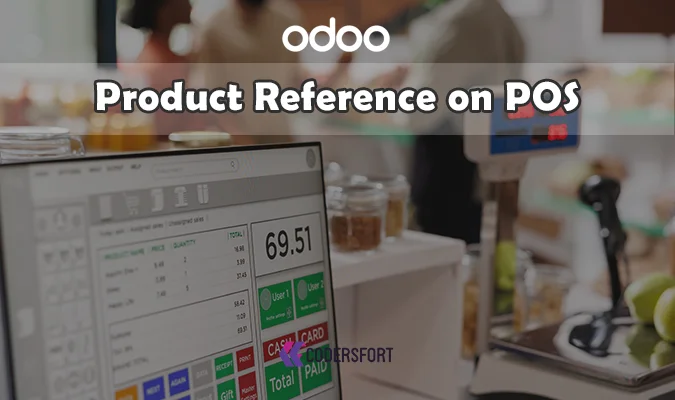
Show the Product's Internal Reference Right on the POS Screen and Receipt — No More Guessing Which SKU Sold
Cashiers relying only on product names at the register can lose accuracy fast when similar items look nearly identical on screen. Odoo Product Reference on POS displays a product's internal reference or default code directly on the POS screen and on printed receipts, giving staff and customers a precise identifier alongside every sale.
Why Does Your Business Need a Dedicated Odoo POS Product Reference Module?
Businesses that rely on internal SKU codes for inventory, reordering, or product identification need those codes visible exactly where sales happen — not just buried in the backend product record. The best Odoo module for product reference on POS is one that surfaces the default code directly on the POS screen and receipt without adding complexity to the checkout process. Odoo Product Reference on POS does exactly that, built as a lightweight, fully compatible addition to standard Odoo POS.
Key Features of Odoo Product Reference on POS
Show Product Default Code on POS Screen
Display the product's internal reference or default code directly on the POS interface, giving cashiers a precise identifier at a glance.
Include Internal Reference on Printed Receipts
Print the internal reference alongside the product name on customer receipts, so the code is documented beyond just the point of sale.
Improves POS Workflow and Product Traceability
Having the reference code visible throughout the transaction supports faster, more accurate product identification and easier traceability after the sale.
Fully Compatible With Standard Odoo POS
Works directly within the existing Odoo POS interface, requiring no special hardware or workaround to display the code.
Benefits of Odoo Product Reference on POS
Improved Cashier Efficiency
Staff can identify and confirm products faster when the internal code is visible right on the screen, rather than relying on name alone.
Better Product Identification During Sales
Especially useful for products with similar names or appearances, where a visible SKU code prevents mix-ups.
Stronger Traceability
Printed reference codes on receipts create a documented link between the sale and the specific internal product code.
No Technical Knowledge Required
Simple to install and use, making it accessible for businesses without a dedicated technical team.
How Odoo Product Reference on POS Works
Step 1: Install the Module
Copy the odoo_pos_product_code module to the Odoo addons folder and install it normally like other modules.
Step 2: Open the POS Interface
Start a POS session as usual — no special configuration is required beyond installation.
Step 3: View the Product Reference on Screen
The product's internal reference or default code displays directly on the POS screen during the sale — this is how to show internal reference on Odoo POS without any extra setup steps.
Step 4: Print the Receipt With the Code Included
When the receipt prints, the internal reference appears alongside the product name.
Step 5: Use for Faster Identification and Traceability
Rely on the visible code for quicker product confirmation at checkout and clearer post-sale traceability.
Frequently Asked Questions
What does Odoo Product Reference on POS actually do?
It displays a product's internal reference or default code directly on the POS screen and on printed receipts.
Does this require any special hardware?
No — it's fully compatible with standard Odoo POS and doesn't require special hardware.
Is this difficult to install?
No — the module is designed to be simple to install, with no technical knowledge required.
Will the internal reference appear on customer receipts too?
Yes — the internal reference is included on printed receipts alongside the product name.
Who benefits most from this module?
Businesses that rely on internal SKU codes for quick and accurate product processing benefit the most.
How do I install Odoo Product Reference on POS?
Copy the odoo_pos_product_code module to the Odoo addons folder and install it normally like other modules.
Does this help with product traceability after the sale?
Yes — printed reference codes on receipts create a documented link between each sale and the specific internal product code.
Modules Similar to Odoo Product Reference on POS
Odoo Product Reference on POS pairs naturally with other CodersFort POS enhancement modules. Odoo Search Arabic Name in POS adds multilingual product search support for bilingual business environments.
For streamlining stock handling at the counter, Odoo POS Load Product Location lets users view and manage product stock locations directly from the POS screen. And Odoo POS Sort Order gives sellers the ability to sort products by name, category, or price within the POS interface, making browsing faster and more intuitive.
Together, these modules enhance the POS workflow, reduce friction during sales, and ensure a more productive checkout process.
Buy from our app store or contact us directly