

Odoo Attachments Uploader
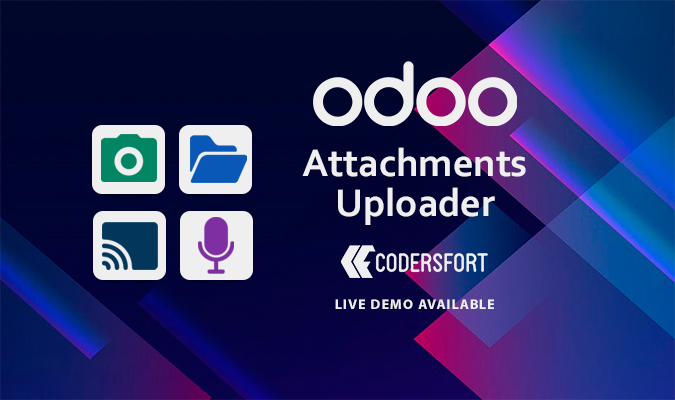
Odoo Attachments Uploader
Attachments Uploader in odoo | Screen Capture Attachments in odoo | Webcam Attachments in odoo | Audio Attachments in odoo | Capture Screen in odoo
The Odoo Attachments Uploader module expands Odoo's built-in attachment capabilities, providing users with greater flexibility and convenience when managing documents and files. Whether you're looking to capture screenshots, use a webcam, or simply upload files from your local device, this module makes the process faster and easier, improving your overall Odoo experience.
Key Features of Odoo Attachments Uploader
- Multi-Source Attachment Upload
The Odoo Attachments Uploader allows you to add files from multiple sources with ease:
- Drag & Drop: Quickly drag files from your desktop or file explorer directly into Odoo.
- Local Devices: Upload documents from your computer or connected storage devices.
- Screen Capture: Take screenshots and attach them instantly.
- Webcam Attachments: Capture photos or videos using your webcam and upload them مباشرة.
- Audio Attachments: Record and upload audio files without any extra tools.
- Enhanced User Experience
This module improves the default attachment interface by offering more intuitive and efficient options. From drag-and-drop uploads to direct screen or webcam capture, managing files becomes smoother and more user-friendly. - Multiple Attachments in Chatter
- Upload several attachments at once directly into the chatter.
- Add files from different sources in a single action, avoiding repetitive uploads.
- Ideal for handling multiple documents within a single conversation thread.
- Easy Installation
The module is designed for quick and simple setup. No additional configuration is required—install it and start using the enhanced features immediately. - Greater Flexibility
While Odoo’s default attachment system covers basic needs, this module extends its capabilities by offering:
- Faster uploads from various sources
- More versatile file handling options
- Improved management of media and documents without relying on external tools
Why Choose Odoo Attachments Uploader?
- Boost Productivity: Save time with multiple upload methods and reduce repetitive tasks.
- Streamline Operations: Easily handle screenshots, audio recordings, webcam captures, and more.
- Seamless Integration: Works smoothly with Odoo, ensuring compatibility with your existing workflows.
If you're looking to enhance your Odoo attachment management, CodersFort offers several powerful solutions. You can download all attachments in Odoo in one go, streamlining the process of managing bulk files across your system. For those using Odoo Chatter, our Chatter Attachments Download tool makes it easy to capture and organize all attachments shared within conversations. Additionally, if you need to manage product-related files for your Odoo website, our Website Product Attachments solution allows you to download and organize all product attachments effortlessly. These tools are designed to simplify attachment handling, improve workflow efficiency, and enhance your overall Odoo experience.
Installation of Odoo Attachments Uploader
- Copy attachments_uppy_uploader module to addons folder
- Install the module normally like other modules
Buy from our app store or contact us directly