
Odoo Dental Chart Widget

Odoo Dental Chart Widget
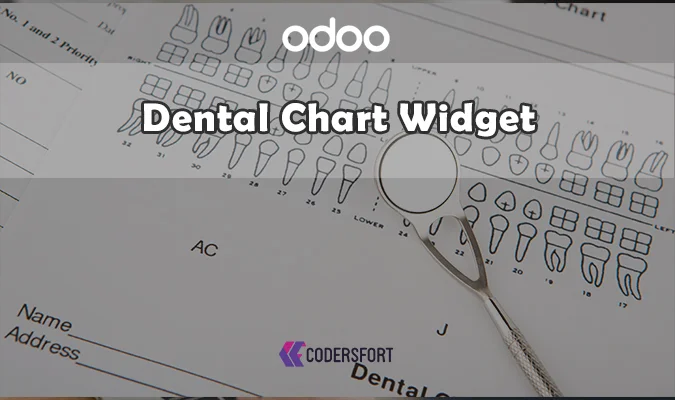
Odoo Dental Chart Widget

Visual Tooth Selection Built for Dental Clinics — Directly Inside Odoo Forms

Recording dental findings as plain text or a generic checklist loses the precision a real dental chart provides. Odoo Dental Chart Widget replaces that with a realistic, interactive tooth selector embedded directly in Odoo — supporting international numbering standards, adult and pediatric dentition, and single or multi-tooth selection, so clinical data is captured exactly the way dental professionals actually work.

Why Does Your Business Need a Dedicated Odoo Dental Chart Module?

Dental clinics, hospitals, and healthcare ERP implementations need a way to record which teeth are involved in a diagnosis, treatment, or insurance claim — something a text field can't represent accurately. The best Odoo module for dental clinics is one that gives staff a real visual chart to click through, not a free-text workaround. Odoo Dental Chart Widget builds that chart directly into Odoo's form framework, using a mixin-based architecture that lets developers attach the tooth selector to any model that needs it, from patient records to treatment plans.

Key Features of Odoo Dental Chart Widget

Multi-Standard Tooth Numbering

Supports both the FDI (ISO 3950) and Universal (ADA) numbering systems, so the Odoo tooth chart module fits dental practices operating under different regional or international standards.

Complete Dentition Support

Covers full adult dentition at 32 teeth and child dentition at 20 teeth, so pediatric and adult dental charting both work within the same widget.

Advanced Tooth Selection Modes

Offers both single tooth selection and multiple tooth selection, giving staff the flexibility to record anything from one isolated finding to a broader set of affected teeth in an interactive visual interface.

Realistic Dental Visualization

High-quality tooth imagery with occlusal view support gives the Odoo tooth select widget an anatomically accurate representation, supporting more precise diagnosis and documentation.

Developer-Friendly, Mixin-Based Architecture

Built as a mixin, the widget can be embedded into any custom Odoo model or form, keeping the design modular and scalable rather than tied to a single use case.

Smart Data Handling

Computed fields track tooth count and display names, while dental selections are stored in a structured, JSON-based format for efficient data management and reporting.

Benefits of Odoo Dental Chart Widget

More Accurate Clinical Records

A real visual tooth chart captures dental findings with a precision that free-text fields or generic checklists can't match.

Faster Documentation

Interactive, click-based selection is quicker for staff than manually describing tooth positions in writing.

Supports Multiple Practice Types

From standalone dental clinics to hospital systems running a broader healthcare ERP, the widget adapts to different scales of dental record management.

Better Insurance and Reporting Support

Structured, standardized tooth data makes insurance claim documentation and clinical reporting more consistent and easier to generate.

Modern, Professional Interface

A responsive design with interactive hover effects gives clinical staff a clean, professional interface rather than a dated form-based workaround.

How Odoo Dental Chart Widget Works

Step 1: Embed the Widget on the Relevant Model

Using the mixin-based architecture, attach the tooth chart widget to a patient record, treatment plan, or any other relevant model.

Step 2: Choose the Numbering System

Select FDI (ISO 3950) or Universal (ADA) numbering depending on the practice's regional standard.

Step 3: Select the Dentition Type

Choose adult (32 teeth) or child (20 teeth) dentition based on the patient being documented.

Step 4: Select Teeth Visually

Click through the interactive chart in single or multiple selection mode to record findings — this is how the Odoo Dental Chart Widget replaces manual tooth-by-tooth text entry.

Step 5: Data Is Stored and Computed Automatically

Selections are saved in structured JSON format, with computed fields tracking tooth count and display names for reporting and downstream use.

Frequently Asked Questions

What does Odoo Dental Chart Widget actually do?

It provides an interactive, visual tooth selection interface inside Odoo forms, letting dental staff record findings on a realistic dental chart instead of using free text.

Which tooth numbering systems does it support?

It supports both the FDI (ISO 3950) and Universal (ADA) numbering systems, covering practices operating under different regional standards.

Does it support pediatric patients as well as adults?

Yes — it handles full adult dentition (32 teeth) and child dentition (20 teeth) within the same widget.

Can I select more than one tooth at a time?

Yes — the widget supports both single tooth selection and multiple tooth selection modes.

Is this widget limited to one specific Odoo model?

No — it's built as a mixin, so developers can embed it into any custom model or form that needs tooth-level data capture.

How is the tooth selection data stored?

Selections are stored in a structured, JSON-based format, with computed fields for tooth count and display names supporting reporting and analytics.

What types of practices use this module?

Dental clinic ERP systems, hospital management systems, dental CRM setups, treatment planning, case documentation, and insurance claim documentation are all common use cases.

Is there a full dental clinic management solution that includes this widget?

Yes — CodersFort's Odoo Dental Clinic Management module builds on this widget as part of a complete ERP solution covering patient records, doctors, appointments, treatments, prescriptions, and reports.

Modules Similar to Odoo Dental Chart Widget

Odoo Dental Chart Widget is one part of a broader dental and clinical workflow CodersFort supports inside Odoo. For clinics that want the complete picture — patient records, doctor scheduling, appointments, treatments, prescriptions, and reporting — Odoo Dental Clinic Management extends this widget into a full clinic ERP solution.

For clinics that also handle vehicle-related service records alongside patient data (relevant to hospital fleets or ambulance services), Odoo Vehicle Repair Management tracks vehicle repair and maintenance workflows. And for practices needing quick document capture during patient intake, Odoo Barcode and QR Code Scanner speeds up record lookups and check-in workflows.

Together, these modules extend Odoo's healthcare and clinical capabilities from precise dental charting to full clinic operations.


Buy from our app store or contact us directly