
Odoo Zoho Sign Connector: Simplify Digital Signatures & Document Workflows
In today’s fast-paced business environment, managing documents manually is no longer efficient. From quotations and invoices to contracts and agreements, businesses need faster, secure, and legally compliant ways to handle approvals. This is where the integration between Odoo and Zoho Sign becomes a game-changer.
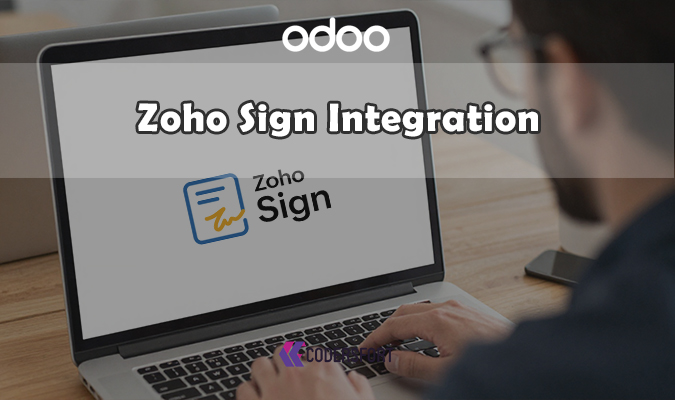
The Odoo Zoho Sign Integration module helps businesses streamline document workflows by enabling users to send, sign, and track documents directly within Odoo. With this integration, you can eliminate paperwork, reduce delays, and improve operational efficiency.
What is Odoo Zoho Sign Connector?
Odoo Zoho Sign Integration is a powerful connector that allows users to send documents from Odoo to Zoho Sign for secure digital signature requests. Instead of downloading files, emailing them manually, and tracking responses separately, everything happens within your ERP system.
This integration bridges Odoo ERP with Zoho Sign, enabling seamless communication between the two platforms. Users can initiate eSignature requests, monitor document status, and store signed files—all without leaving Odoo.
Why Businesses Need This Odoo Zoho Sign Connector
Traditional document signing processes are time-consuming and prone to errors. Printing, scanning, emailing, and manually storing documents can slow down operations significantly.
With Zoho Sign integrated into Odoo, businesses can:
- Speed up approvals and contract signing
- Reduce manual errors and paperwork
- Maintain a centralized document system
- Ensure legal compliance with digital signatures
- Improve customer and employee experience
Key Features of Odoo Zoho Sign Connector
1. Send Documents Directly from Odoo
Users can send quotations, invoices, contracts, and other documents directly from Odoo to Zoho Sign. This eliminates the need for external tools or manual uploads.
2. Create Digital Signature Requests
Easily initiate eSignature requests with predefined templates or custom documents. Add multiple signers and define signing order if needed.
3. Track Signing Status in Real-Time
Stay updated with live tracking of document status—whether it’s sent, viewed, signed, or pending. This improves follow-ups and accountability.
4. Secure eSignature Process
Zoho Sign ensures high-level encryption and authentication, making the signing process secure and reliable.
5. Legally Compliant Digital Signatures
Documents signed through Zoho Sign comply with global eSignature laws, making them legally valid for business use.
6. Multi-User & Multi-Document Support
Handle multiple users and documents simultaneously, making it ideal for teams dealing with high document volumes.
Export Attachments as ZIP for Odoo
Alongside digital signing, efficient document management is equally important. The Export Attachments as ZIP for Odoo feature allows users to download all attachments in a single compressed file.
Features:
- Export all attachments from Odoo
- Download files as a ZIP archive
- Bulk export for easy sharing
- One-click ZIP generation
- Compatible with all Odoo modules
This feature is especially useful for backups, audits, and document sharing.
Benefits of Using Odoo Zoho Sign Connector
Faster Document Processing
Reduce turnaround time for approvals and signatures from days to minutes.
Centralized Workflow
Manage everything—from document creation to signing—within Odoo.
Improved Productivity
Automating repetitive tasks allows teams to focus on core business activities.
Enhanced Security
Digital signatures provide better security than traditional paper-based methods.
Cost Savings
Eliminate printing, courier, and storage costs associated with physical documents.
Use Cases
Sales Teams
Send quotations directly to clients for quick approval and close deals faster.
HR Departments
Manage employee contracts, offer letters, and onboarding documents digitally.
Finance Teams
Get invoices and agreements signed without delays.
Legal Teams
Ensure compliance and maintain a secure record of signed documents.
Explore More Odoo Integrations
At CodersFort, we provide a range of advanced Odoo integrations to enhance your business processes:
- Odoo Adobe Sign Connector – Seamless e-signatures using Adobe’s trusted platform
- Odoo SignNow Integration – Fast and secure document signing workflows
- Odoo Dropbox Sign Integration – Cloud-based document signing and storage automation
These integrations are designed to simplify approval workflows and improve operational efficiency across departments.
Conclusion
The Odoo Zoho Sign Integration is an essential tool for businesses looking to modernize their document workflows. By combining the power of Odoo with Zoho Sign, organizations can automate eSignature processes, reduce manual effort, and ensure secure, legally compliant document handling.
If your business relies heavily on approvals, contracts, or document exchanges, this integration can significantly improve speed, accuracy, and productivity.
visit apps store or download from our website
About us and this blog
We are a digital marketing company with a focus on helping our customers achieve great results across several key areas.
Request a free quote
We offer professional SEO services that help websites increase their organic search score drastically in order to compete for the highest rankings even when it comes to highly competitive keywords.
Subscribe to our newsletter!
More from our blog
See all posts




Recent Posts
- Odoo Dynamic Cheque Printing May 26, 2026
- Odoo Implementation in Kerala May 6, 2026
- Odoo Zoho Sign Connector April 17, 2026