

Creating Professional Reports in Odoo: A Guide to the Odoo Report Designer module
- July 3, 2024
- Uncategorized
A Guide to the odoo Report Designer module
In today's data-driven world, having accurate and customizable reports is crucial for businesses. Odoo Report Designer is a versatile tool that allows you to create, modify, and customize reports to fit your unique business needs. In this blog post, we will explore the features, benefits, and a step-by-step guide on how to use Odoo Report Designer effectively.
Download Odoo Report Designer >>
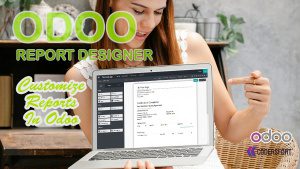
What is Odoo Report Designer?
Odoo Report Designer is a module within the Odoo suite that enables users to create and customize reports. This tool is designed to be user-friendly while offering powerful features for advanced users. It supports various formats such as PDF, HTML, and Excel, making it easy to generate reports that meet different business requirements.
7 Powerful Features and Benefits of Odoo Report Designer Module
Creating professional, accurate, and visually appealing reports is a crucial part of any business. However, traditional report creation can be time-consuming, complex, and heavily dependent on technical expertise. This is where the Odoo Report Designer module comes in as a game-changing solution.
With its user-friendly interface and powerful customization options, the Odoo Report Designer module enables businesses to create dynamic reports quickly and efficiently—without needing advanced coding skills. Below are 7 powerful features and benefits that make this module an essential tool for any Odoo user.
1. Drag-and-Drop Interface for Easy Report Creation
One of the standout features of the Odoo Report Designer module is its intuitive drag-and-drop interface. Instead of writing complex code or dealing with technical configurations, users can simply drag elements into place and build reports visually.
This feature makes report creation accessible to everyone, including non-technical users. Whether you are designing invoices, sales reports, or inventory summaries, the drag-and-drop functionality simplifies the entire process. It reduces dependency on developers and allows teams to work more independently.
2. Customizable Templates for Professional Branding
The module offers a variety of predefined templates that can be easily customized to suit your business requirements. You can modify layouts, colors, fonts, and structures to align with your company’s branding.
This ensures that all your reports maintain a consistent and professional appearance. Instead of starting from scratch every time, users can leverage these templates to speed up the design process while still achieving high-quality results.
3. Dynamic Data Fields for Real-Time Updates
Another powerful feature is the ability to insert dynamic data fields into your reports. These fields automatically fetch and update data from your Odoo database in real time.
For example, you can include customer details, sales figures, or inventory data that update automatically whenever the report is generated. This eliminates manual data entry and significantly reduces the chances of errors, ensuring that your reports are always accurate and up to date.
4. Multi-Format Export Options for Flexibility
The Odoo Report Designer module supports multiple export formats, including PDF, HTML, and Excel. This flexibility allows users to generate reports in the format that best suits their needs.
Whether you want to share a polished PDF with clients, analyze data in Excel, or publish reports online in HTML format, this module has you covered. It enhances usability and ensures that reports can be easily shared, stored, and accessed across different platforms.
5. Seamless Integration with Odoo Modules
One of the biggest advantages of the Odoo Report Designer module is its seamless integration with other Odoo modules. It connects directly with your Odoo database, enabling you to pull data from various modules such as Sales, Inventory, Accounting, and HR.
This integration ensures consistency across your business processes and eliminates the need for manual data transfers. You can create comprehensive reports that combine data from multiple sources, giving you a complete view of your operations.
6. Improved Efficiency and Time Savings
Efficiency is a key benefit of using the Odoo Report Designer module. With its drag-and-drop interface, customizable templates, and automated data integration, report creation becomes significantly faster.
Tasks that once took hours can now be completed in minutes. This allows your team to focus on more strategic activities rather than spending time on repetitive reporting tasks. Faster report generation also means quicker decision-making, which is critical in today’s competitive business environment.
7. Accuracy, Customization, and Cost-Effectiveness
The Odoo Report Designer module not only improves efficiency but also ensures high levels of accuracy. Since the data is pulled directly from your Odoo database in real time, the chances of manual errors are minimized.
In addition, the module offers extensive customization options, allowing businesses to create reports tailored to their specific needs. Whether it’s formatting, layout, or data presentation, everything can be adjusted to meet your requirements.
From a financial perspective, the module is also highly cost-effective. By eliminating the need for third-party reporting tools and reducing reliance on developers, businesses can significantly cut down on operational costs while still achieving professional-quality results.
Conclusion
The Odoo Report Designer module is a powerful tool that simplifies the entire reporting process. From its easy-to-use drag-and-drop interface to its real-time data integration and multi-format export options, it offers everything businesses need to create efficient and accurate reports.
By combining flexibility, accuracy, and ease of use, this module empowers users at all levels to generate high-quality reports without technical barriers. Whether you are a small business or a large enterprise, investing in the Odoo Report Designer module can greatly enhance your reporting capabilities and overall productivity.
If you’re looking for a smarter, faster, and more efficient way to design reports in Odoo, this module is the perfect solution.
How to Use odoo Report Designer module: A Step-by-Step Guide
Step 1: Accessing the Report Designer
To get started, navigate to the Odoo Report Designer module from your Odoo dashboard. Ensure you have the necessary permissions to access and modify reports.
Step 2: Choosing a Template
Select a template that closely matches the type of report you want to create. Odoo offers a variety of templates for different business scenarios.
Step 3: Customizing the Template
- Add Data Fields: Drag and drop data fields from the sidebar to the desired location on the template.
- Formatting: Customize the appearance of your report by changing fonts, colors, and layout.
- Dynamic Content: Insert dynamic content that will update automatically with your database information.
Step 4: Preview and Test
Before finalizing your report, use the preview function to ensure everything is displaying correctly. Make adjustments as needed.
Step 5: Exporting and Sharing
Buy from our app store or
Contact us directly to learn more or request a live demo.
About us and this blog
We are a digital marketing company with a focus on helping our customers achieve great results across several key areas.
Request a free quote
We offer professional SEO services that help websites increase their organic search score drastically in order to compete for the highest rankings even when it comes to highly competitive keywords.
Subscribe to our newsletter!


More from our blog
See all posts





Recent Posts
- Odoo Dynamic Cheque Printing May 26, 2026
- Odoo Implementation in Kerala May 6, 2026
- Odoo Zoho Sign Connector April 17, 2026